RenovationRoute
· Updated Sep 6, 2026 · Federal Contracting · 9 min read
How to Register on SAM.gov as a Construction Contractor
You cannot legally get paid on a federal construction contract without a SAM.gov registration. Here is exactly how to do it, what to expect, and what trips people up.
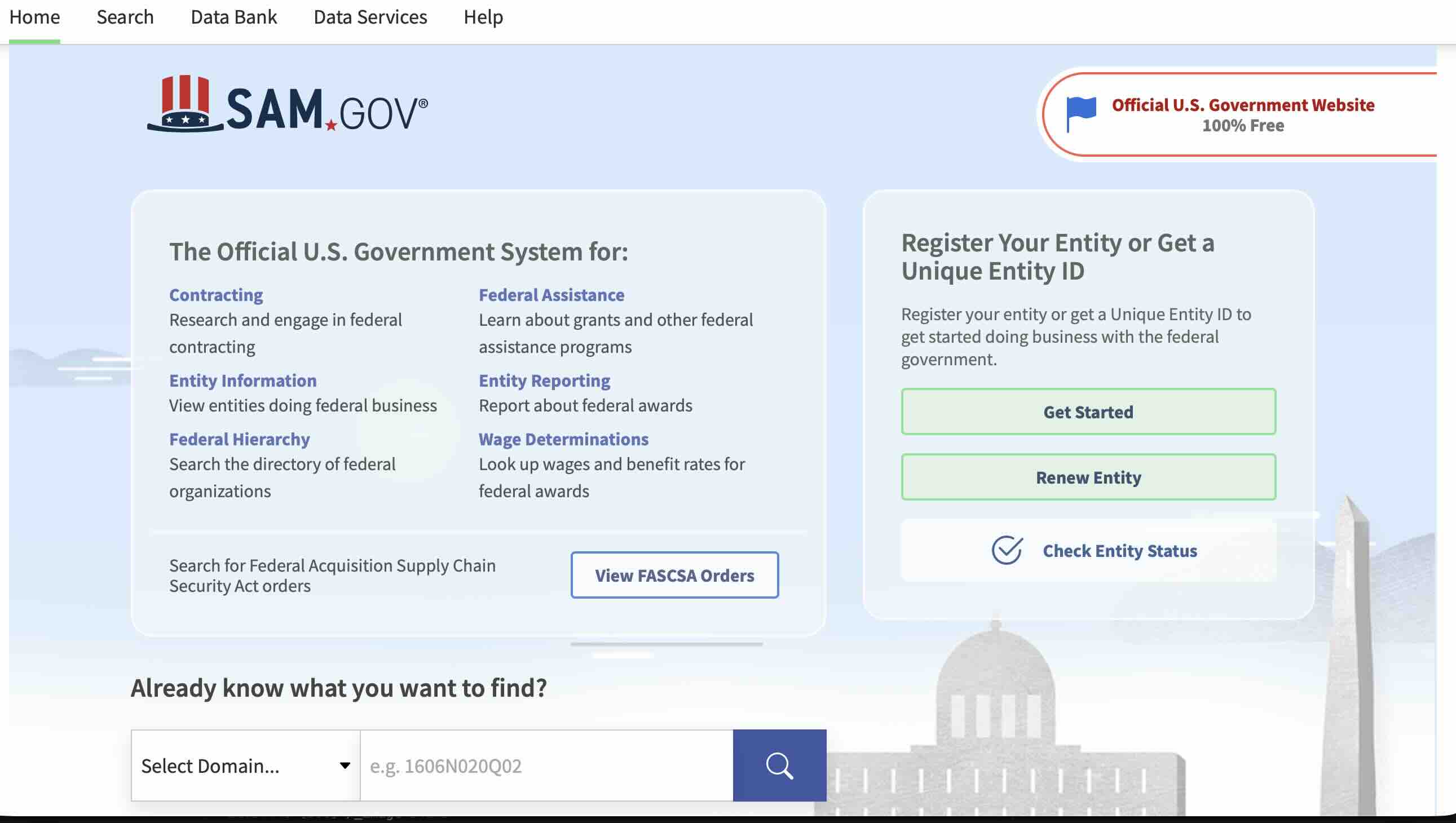
SAM.gov registration is the one thing standing between you and every federal construction contract in the country. No registration, no payment. It’s that simple.
The government does not cut checks to unregistered vendors. It doesn’t matter how good your bid is or how much experience you have. If you’re not in SAM.gov, you don’t exist as far as the federal government is concerned.
The good news is registration is free. The frustrating news is the process is confusing enough that a lot of contractors start it, get stuck somewhere around step four, and abandon it. This post walks through the whole thing so that doesn’t happen to you.
Before You Start: What SAM.gov Actually Is
SAM.gov stands for System for Award Management. It’s the federal government’s central database for every business that wants to do work with any federal agency. Think of it as the government’s vendor list. Getting on that list is what registration means.
Every construction project posted on SAM.gov, from a $12,000 HVAC replacement at a VA clinic to a $4M military barracks renovation, requires the winning contractor to have an active SAM.gov registration before money changes hands.
Registration is also what makes you eligible to bid in the first place. Some solicitations will disqualify you outright if your registration is expired or incomplete.
Step 1: Get Your UEI
Before you touch SAM.gov registration, you need a Unique Entity Identifier. The UEI replaced the old DUNS number in 2022 and it’s now issued directly from SAM.gov itself.
Go to sam.gov and click “Get Started” under the entity registration section. You’ll create a SAM.gov account or sign in if you already have one. Once you’re in, go through the UEI request process. You’ll enter your business legal name, physical address, and tax identification number. The system checks these against IRS records and assigns you a 12-character UEI on the spot.
Write that number down somewhere. You’ll use it on every federal document going forward.
Step 2: Gather Everything Before You Start the Registration
People get halfway through SAM.gov registration and stall out because they’re missing something. The registration form has a save feature but it’s not perfect. Get all of this ready before you open the form:
Your business information: Legal business name exactly as it appears on your EIN documents. Not your trade name, not your DBA. The exact legal name. If it says “Martinez Construction LLC” on your EIN letter, that’s what goes in SAM.gov.
EIN: Your federal Employer Identification Number from the IRS. If you’re a sole proprietor using your SSN, that works too, but most contractors should have an EIN.
Bank account information for EFT: The government pays by electronic funds transfer. You need your bank’s routing number and your business checking account number. They will send a small test deposit to verify the account, so make sure the account is active.
NAICS codes: North American Industry Classification System codes define what type of work you do. For construction, you’re looking at codes in the 23xxxx range. Roofing is 238160. General contractors are typically 236220 for commercial or 236115 for residential. Specialty trades each have their own. Pick every code that applies to your business. You can always add more later but it’s easier to do it right the first time.
Points of contact: You’ll need at least one person’s name, phone number, and email to list as your primary business contact.
Business type: Legal structure of your company. LLC, corporation, sole proprietor, partnership, whatever applies.
Step 3: Complete the Registration Form
The actual registration form is organized into sections. They can feel repetitive and some of the language is bureaucratic but none of it is technically hard. Here’s what each section is actually asking:
Core Data: Your basic business information. Legal name, physical address, mailing address, business type, NAICS codes. Straightforward.
Assertions: This is where you tell the government about your business characteristics. Small business status, veteran-owned, woman-owned, HUBZone, service-disabled veteran. These matter because they determine which set-aside contracts you can bid on. Get this right. If you are a veteran-owned small business, check it. If you qualify as a small business under your primary NAICS code, check it. Read the size standards on the SBA website if you’re not sure where you fall.
Representations and Certifications: This is the section most people find confusing. It’s a long list of yes/no questions about your business practices, legal history, and compliance with various federal laws. Most are simple yes or no answers. A few require you to actually know things like whether you’ve had any federal contracts debarred or terminated. If you’re a straightforward construction company with no federal history, most of these default to no.
Electronic Business: Your EFT banking information goes here. This is where the government sets up how they’ll pay you.
Points of Contact: List your primary business contacts. The main one is the person who will receive award notifications and official correspondence.
When you’ve gone through every section, you’ll get a confirmation screen. Review everything before you submit. Fixing errors after submission adds time.
Step 4: Wait for Activation
After you submit, SAM.gov sends your information to the IRS for validation. They’re confirming your EIN and business name match federal tax records.
This process typically takes 7 to 10 business days. It can take up to 14 days if there are discrepancies.
You’ll receive an email when your registration becomes active. Do not try to bid on anything until you get that email. Your registration is not usable until it says “Active” in your SAM.gov account.
One thing to be aware of: SAM.gov registrations expire every 12 months. Put a reminder on your calendar 60 days before your expiration date. An expired registration disqualifies you from active contracts and you can’t get paid until it’s renewed.
Common Mistakes That Delay or Kill Your Registration
Business name mismatch. If your SAM.gov name doesn’t exactly match your IRS records, the validation fails. No abbreviations, no missing “Inc.” or “LLC,” no transposed words. Pull your EIN assignment letter and copy it character for character.
Using a personal address for a business. Not automatically a problem but if your business address doesn’t match your registered agent or state business filing, it can create questions.
Wrong NAICS codes. Missing the code for your primary trade means you won’t show up in searches for that type of work. It also affects your small business eligibility determination because size standards vary by NAICS code.
Not setting up the EFT properly. Some contractors skip the banking section thinking they can add it later. You can, but you won’t get paid on any contract until it’s in there and verified. Just do it during registration.
Registering a personal bank account. The government technically requires a business bank account for EFT. Using a personal account can create payment delays and complications. Open a business checking account if you don’t have one.
Ignoring the annual renewal. A lapsed registration looks bad. Contracting officers sometimes check registration dates when evaluating bids. If yours expired six months ago and you just renewed it, that’s a minor red flag even if you’re technically compliant now.
After You’re Registered
Once your registration is active, a few things become available to you that weren’t before.
You can bid on federal construction contracts. The registration doesn’t make you win anything, but it removes the legal barrier to being awarded a contract.
You’ll show up in searches when contracting officers look for vendors in your NAICS codes. Some agencies do targeted outreach to registered small businesses in their area before even posting an opportunity publicly. Being registered means you might get a call.
You can start setting up your contractor profile and tracking opportunities. SAM.gov has a basic search and alert function, but filtering through thousands of opportunities manually every day is painful. If you are new to federal work, the right starting point is small: how small contractors win federal construction contracts with micro-purchases and simplified acquisitions under $250K.
That’s where a tool built specifically for construction contractors saves you real time. We pull SAM.gov every morning, filter by your trade, location radius, and bonding capacity, and text you when something relevant lands. You’ll see compliance red flags and a win probability score before you download a single PDF. Not sure which tool fits? Here’s the comparison of every major federal bid-finding tool for construction, with prices.
Find Federal Construction Projects Near You
Get SMS alerts for government construction bids in your area. See compliance red flags and win probability before you waste time on a bid you can't win.
Frequently Asked Questions
How long does SAM.gov registration take?
Plan on 7 to 10 business days after you submit. The delay is the IRS validation step, which you have no control over. If your business name and EIN match exactly, it usually comes back on the faster end.
Is SAM.gov registration free?
Yes. Registration is completely free. If someone is trying to charge you to register on SAM.gov, they’re running a scam. Several shady companies advertise “SAM.gov registration services” for a few hundred dollars. Don’t pay them.
Do I have to renew every year?
Yes. SAM.gov registrations expire after 12 months. If yours lapses, you cannot receive payments on active contracts until it’s renewed. Set a calendar reminder a month or two before your expiration date.
Can I bid on contracts while my registration is pending?
Technically you can submit a bid, but if you win, you cannot be awarded the contract or receive payment until your registration shows as active. Most contracting officers will require active registration before they even process your bid.
What if my business name doesn’t match the IRS records?
Your registration will fail IRS validation and you’ll need to resubmit with the correct legal name. Check your EIN assignment letter from the IRS, or call the IRS Business and Specialty Tax line at 800-829-4933 to confirm what name is on file.
Do I need to register in any state systems too?
SAM.gov covers federal contracts. Some states have their own vendor registration systems for state-funded projects. Those are separate. If you’re only pursuing federal work, SAM.gov is all you need.
What NAICS codes should I use?
Use every code that honestly describes work your company can perform. Common ones for construction: 236220 (commercial building), 236115 (residential remodel), 237110 (water and sewer), 238110 (concrete), 238160 (roofing), 238210 (electrical), 238220 (HVAC), 238310 (drywall and insulation), 238390 (specialty trades). The SBA’s size standards table will tell you what annual revenue threshold keeps you classified as a small business under each code.