 RenovationRoute
How we use AI
AI reads the paperwork. Code checks it. You make the call.
RenovationRoute uses AI where it saves you real hours: reading 40-page federal solicitations, pricing the scope, building your bid checklist, drafting quotes and replies. Here is exactly where it runs, what checks it, and what we do not hand to AI at all.
Federal construction bids
Where the AI does the heavy lifting, and what keeps it honest.
It reads every federal construction solicitation
AI AI reads the SAM.gov notice and its attachments and pulls out the scope and quantities, the codes it cites, the period of performance, and every amendment. It flags what can disqualify you before you start: mandatory site visits, set-aside eligibility, CMMC, Davis-Bacon, bonding, base access.
Checked by Each requirement is labeled as stated in the solicitation, our analysis, or not found, so you can tell a quote from a read. The brief carries a plain note: we make mistakes, double check before you bid.
It builds a cost estimate by work item
AI AI breaks the scope into line items with low and high costs, then prices aggressive, balanced, and conservative bid tiers.
Checked by We only estimate when there is real data to anchor on: similar past contracts, what this contracting office has actually paid, or a dollar figure stated for the job. The AI is not shown the value the notice discloses, so it cannot just repeat it. Code recomputes the totals from the line items, and throws the estimate out if it contradicts the value the notice discloses. It is a starting point to price your own crew against, not a bid.
It builds your bid checklist (Pro)
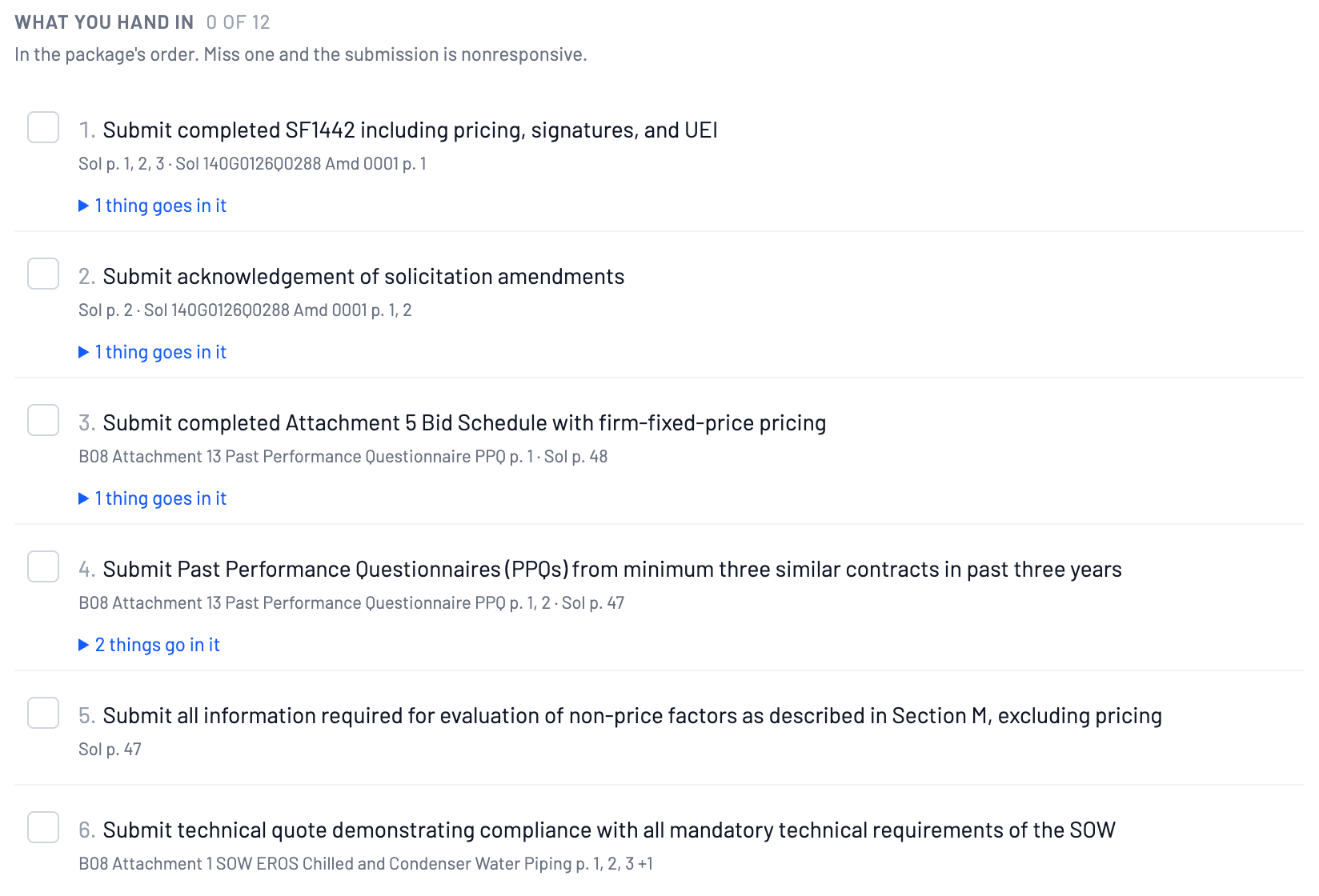
AI Every form, deadline, and gate in the package, with the PDF pages to check, usually ready in 10 to 15 minutes by email or text.
Checked by Code finds every candidate requirement in the package first, so the AI is sorting real text, not inventing requirements. The AI sorts them in two independent passes and marks where the passes disagree. Any date, dollar amount, or number in its wording is checked against the package, and anything the package does not state is flagged. Page numbers come from the documents, never from the AI.
Not AI, on purpose
Some answers should come from math and public records, not a model.
Your fit score
A formula, not AI. It scores the job against your profile: set-aside match, bonding capacity, CMMC, distance, deadline, years in business, team size, similar projects, and insurance. Some thresholds, like required years of experience, come from what the AI read in the solicitation.
Who you are probably up against
Math on public federal award data from USASpending: the firms that won this kind of work at this contracting office in the last 12 months, who holds the current contract and how many offers it drew, five years of awards at the site, and the office’s median award and set-aside share. Real contracts, real dollars, real dates.
Teaming partners
Past prime and sub pairings from public award data, filtered by trade and state.
Alerts
We pull SAM.gov every evening, Sunday through Friday. Pro members get a text or email the next morning with the jobs that match their trade, area, and size.
Use your own AI assistant
RenovationRoute runs a public MCP server, so Claude, ChatGPT, or Cursor can search the live federal construction feed for you. No login, no API key. Paste https://mcp.renovationroute.com/mcp into your assistant and ask for jobs by state, trade, keyword, or size. Your assistant does the talking; our server just hands it the data. How to connect it.
Residential and service work
AI drafts. You review, edit, and decide.
Budget estimate for homeowners
Describe the project and AI returns the steps, materials, and a rough cost range. It is labeled informational only, and contractors never see it.
AI Quote Builder for contractors
Add photos, answer a few questions the AI asks, and get a draft quote: each task with labor hours and a cost range, a materials list with quantities and costs, total price range, exclusions, and a payment schedule. It also flags building codes that may apply, like IRC, NEC, or UPC sections, and risks to check. You decide what goes in, and you send it. The first 2 AI credits each month are free (quotes and design photos share them), then $20 a month for unlimited.
Design photos
AI images of what the finished project could look like, made from the proposal and your site photos, to help a customer say yes.
Lead inbox
AI sorts incoming customer inquiries, flags spam, and writes a first-draft reply for you to edit. AI drafts are never sent on their own. Only the acknowledgement and follow-up reminders you set up go out automatically, and the AI does not write those.
What AI never does here
- Write or submit your federal bid or proposal
- Set your price
- Send a message it wrote without you pressing send
- Move money: payments move only when a person approves them
Our AI features run on OpenAI models today. How we handle your data is in our privacy policy.
See what the AI finds in this week's federal jobs
The feed is free to browse, and a free account opens 2 full jobs a month. Each one is read for you: the scope, what can disqualify you, and, where we have data to anchor it, a cost estimate by work item.