RenovationRoute
· Federal Contracting · 8 min read
How to Find Government Construction Contracts with ChatGPT or Claude
ChatGPT and Claude can't see what posted on SAM.gov today. Connect them to live data and they can. Here's how to add RenovationRoute's free MCP server to either one, no login, no API key, and what to ask once it's in.
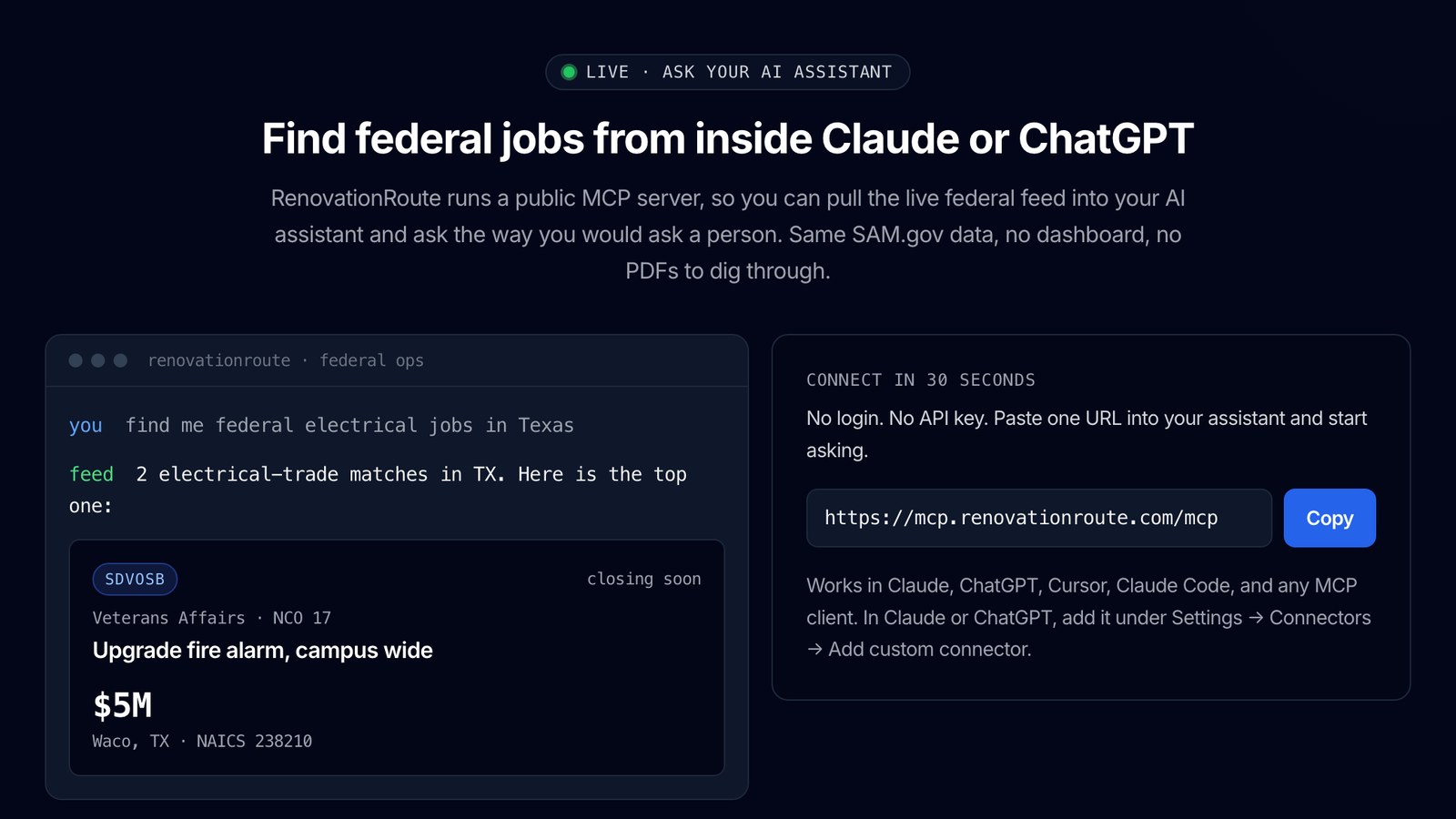
Ask ChatGPT or Claude to “find me federal roofing jobs in Texas” and you’ll usually get advice about SAM.gov. Not a list of jobs.
The assistant isn’t being lazy. It just doesn’t have a live list of what the government posted this week.
That takes about five minutes to fix. RenovationRoute runs a public MCP server for federal construction work. Paste one web address into Claude or ChatGPT (no login, no API key) and you can ask for jobs the way you’d ask a person.
Every setup step below comes straight from Anthropic’s and OpenAI’s own help pages.
What ChatGPT and Claude can and can’t do alone
They’re both very good at reading. Drop a solicitation PDF in and ask what it requires, when bids are due, or whether there’s a site visit. You’ll get a useful answer. We walk through what to look for in how to read a federal solicitation.
Finding work is a different story. Two limits get in the way:
- They don’t see today’s SAM.gov postings. Without a live data connection, they work from what they learned in training and whatever a web search turns up. Neither one is a filtered list of open federal notices in your trade and state.
- They only read what you give them. Didn’t download the amendment that moved the due date? Then the assistant didn’t read it either. It’ll tell you the old date with full confidence.
An MCP server fixes the first one.
What an MCP server is
MCP stands for Model Context Protocol. Anthropic describes it as an open standard for AI apps to connect to tools and data.
Think of it as a plug. Once your assistant is plugged into a data source, it can look things up there while it answers you.
Ours is at:
https://mcp.renovationroute.com/mcp
It gives your assistant four tools:
| Tool | What it does |
|---|---|
search_opportunities | Searches active federal construction opportunities. Filter by 2-letter state, NAICS code, keyword, and contract size: micro (under $50k), small ($50k to $250k), mid ($250k to $1M), large ($1M to $10M), major (over $10M). Up to 50 results. |
get_opportunity | Details on one notice by its SAM.gov notice ID: scope summary, deadline, location, agency, NAICS, set-aside, value, and the SAM.gov link. |
get_stats | A snapshot of active federal construction opportunities: total count, top states, and a breakdown by contract size. |
list_states | The states with the most active federal construction opportunities, ranked, with a count for each. |
All four only read data. They don’t submit anything, change anything, or touch your SAM.gov account.
How to add it to Claude
Anthropic’s help page, Get started with custom connectors using remote MCP, says custom connectors work on Claude, Cowork, and Claude Desktop for Free, Pro, Max, Team, and Enterprise plans. Free users are limited to one custom connector.
On Free, Pro, or Max (your own account):
- In Claude, go to Customize > Connectors.
- Click the + button, then Add custom connector.
- Paste
https://mcp.renovationroute.com/mcpas the server URL. Name it something like RenovationRoute. - Skip Advanced settings. That’s for OAuth sign-in, and this server has none.
- Click Add.
Team and Enterprise work differently. Only an Owner can add a custom connector. The Owner goes to Organization settings > Connectors, clicks Add, hovers over Custom, selects Web, pastes the URL, and clicks Add. Then each member goes to Customize > Connectors, finds the connector (it usually has a “Custom” label), and clicks Connect.
To turn it on in a chat, click the + button at the lower left of the chat box, then Connectors, and switch RenovationRoute on for that conversation.
On Claude Desktop? The same help page says remote connectors are set up through your Claude account, not your computer. Add it once. You don’t need to add it again in the desktop app.
The first time Claude uses a tool, it may ask for permission. Anthropic’s guidance: click “Allow always” only for servers and tools you trust.
How to add it to ChatGPT
ChatGPT calls this developer mode. It takes a few more clicks.
OpenAI’s developer mode guide lists it for Plus, Pro, Business, Enterprise, and Education accounts on the web. The Free plan isn’t listed. OpenAI labels developer mode “elevated risk” because it also allows tools that write data. RenovationRoute’s tools only read.
For Plus or Pro (your own account), here’s the setup from OpenAI’s developer mode guide and connection steps:
- On chatgpt.com, open Settings > Security and login and turn on Developer mode.
- Go to ChatGPT Plugins at chatgpt.com/plugins and select the plus button.
- Enter a name (RenovationRoute) and a short description.
- Under Connection, enter
https://mcp.renovationroute.com/mcp. If it asks about authentication, pick No Authentication. - Create the connection and check that the four tools show up.
To use it, start a new conversation, choose Developer mode from the plus menu, and select the RenovationRoute app.
Business, Enterprise, and Edu need a workspace admin to allow it first. OpenAI’s help article, Developer mode and MCP apps in ChatGPT, puts the switch under Workspace Settings > Permissions & Roles > Connected Data Developer mode / Create custom MCP connectors. On Business plans, only admins and owners can turn on developer mode and create apps.
Not the admin? Send them this post.
A heads-up: OpenAI’s pages don’t all use the same names. The help article says Apps. The developer docs send you to Plugins. If your screen doesn’t match these steps exactly, go by the menu names in your account or check the linked OpenAI pages. They change the layout often.
What it looks like: a real example
We asked the server for federal roofing work in Texas (state TX, keyword roofing, 5 results). When we ran this on September 23, 2026, it returned three roof jobs. Here’s that snapshot, trimmed to the key lines:
| Job | Agency | Location | NAICS | Set-aside | Deadline | Est. value |
|---|---|---|---|---|---|---|
| Comprehensive Roof Maintenance and Repair | Veterans Affairs, Network Contract Office 17 | Dallas, TX | 238160 | SDVOSBC | 2026-10-14 | Not listed |
| Replace 2nd Floor Roof | Veterans Affairs, Network Contract Office 17 | San Antonio, TX | 238160 | SDVOSBC | 2026-09-29 | $5,000,000 |
| Commercial Roof Replacement | Justice, Drug Enforcement Administration | Fort Worth, TX | 238160 | Full & Open | 2026-09-30 | Not listed |
The other two were large Army Corps of Engineers building projects at Dyess AFB and in Texas. The keyword search looks at the title and the description. So a big job that mentions roofing can land right next to pure roof work. Ask your assistant to sort that out and it will.
Then we asked for the details on the San Antonio job. That day, back came the agency, location, NAICS, set-aside, the $5,000,000 estimate, the September 29 deadline, a one-line summary (replacing the second-floor roof at the Audie L. Murphy VA Medical Center), and the SAM.gov link.
Your assistant will put this in its own words. Your results will differ, because bids get updated: deadlines move, amendments land, jobs close. Run the search yourself for today’s list.
Questions you can ask
All of these work with the four tools above. Swap in your own trade, state, and size.
- “Find federal roofing jobs in Texas.”
- “Show me open federal jobs under NAICS 238220 in Virginia.”
- “Any federal HVAC work in Arizona between $250k and $1M?”
- “What federal construction jobs under $50,000 are open in Florida?”
- “Find design-build jobs in Florida.”
- “Which states have the most open federal construction work right now?”
- “How many federal construction opportunities are active today, and how do they break down by size?”
- “Give me the scope, deadline, set-aside, and SAM.gov link for the second one.”
Follow-ups work too. “Which of those are small business set-asides?” “Which ones close in the next two weeks?” Both are fine, because the assistant reads the set-aside and deadline lines in the results it already has.
Where it stops
I’d rather you hear this now than on bid day.
- It’s mostly federal. Most results are construction and renovation notices from SAM.gov, plus some state and local bids. The server doesn’t filter by source, so check the source on each result. The local ones are easy to spot: no federal agency, and the ID isn’t a SAM.gov notice ID. Don’t treat it as a complete source for state, county, or city work.
- The size filter uses the tier assigned to each job, not the dollar figure in the notice. Jobs without a tier won’t match, even if the notice mentions a value. The San Antonio roof job lists $5,000,000 but its tier is Unspecified, so a Texas “large” search skips it. In the September 23, 2026 snapshot, 188 of 1,572 active opportunities had a size tier. If a size search comes back thin, search again without the size.
- You get search and details, not the full brief. The MCP server finds jobs and gives you the basics. The full RenovationRoute brief is in the app: the scope in plain English, what can disqualify you (site visits, set-asides, SPRS and CMMC, Davis-Bacon, bonding), a cost estimate by work item with aggressive, balanced, and conservative totals when there’s enough scope and award history to base it on, who wins that office’s work, and a fit score.
- No alerts in chat. The assistant only looks when you ask. RenovationRoute sends SMS and email alerts after each SAM.gov sweep, every 12 hours.
- Always open the SAM.gov notice before you bid. The summary is a starting point. What counts is the solicitation, its attachments, and every amendment.
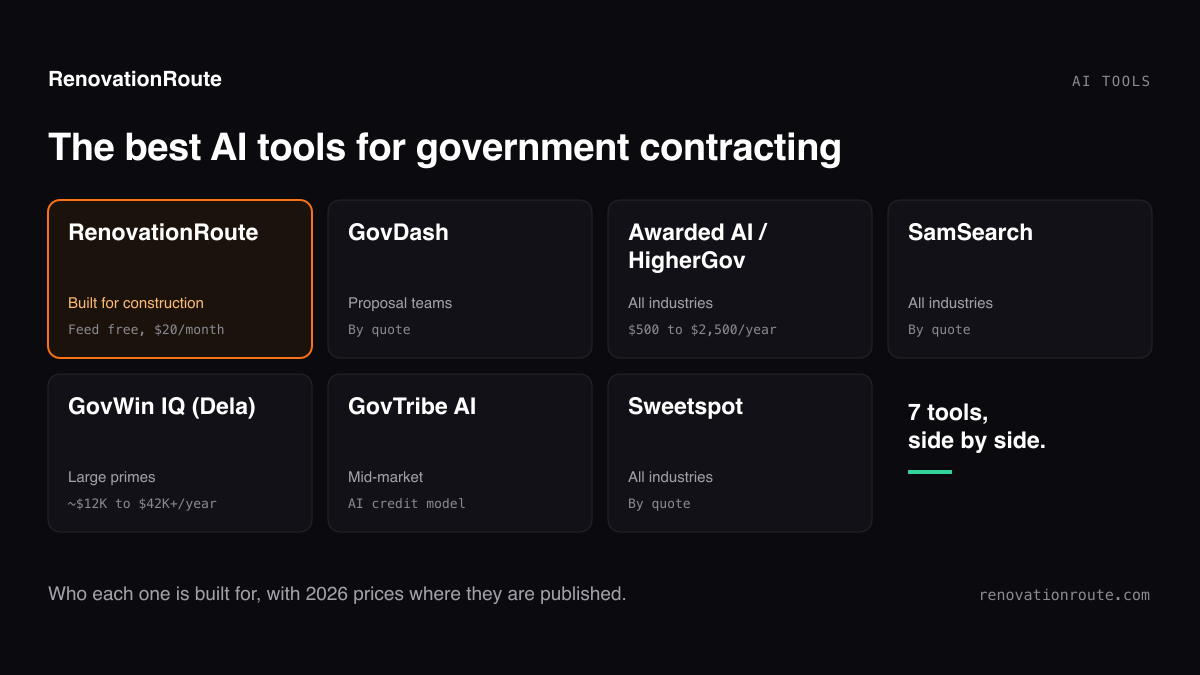
The job feed is free. $20 a month gets you every full brief and the alerts. Want to see how RenovationRoute stacks up against other AI tools for government contracting? Read the best AI tools for government contracting.
See This Week's Federal Construction Jobs
The feed is free. Browse open federal construction bids by trade and state, or ask for them from inside Claude or ChatGPT.
Checked September 23, 2026. Setup steps and plan details come from Anthropic’s and OpenAI’s own help and developer pages, linked above. Both companies change their menus often. If a step doesn’t match what you see, their pages are the final word. The example results are real output from RenovationRoute’s MCP server on that date.
About the Author
Jesse Edwards is the founder of RenovationRoute and MS Tech Alpine Ventures. He built RenovationRoute’s AI for the one job construction contractors don’t have time for: reading a federal solicitation and its attachments and telling them, in plain English, whether it’s worth bidding.
Frequently asked questions
- Can ChatGPT find government contracts?
- Not reliably on its own. ChatGPT doesn't have a live list of open SAM.gov notices. Connect it to live data through an MCP server and it can search current opportunities for you. RenovationRoute's server at mcp.renovationroute.com/mcp covers mostly federal construction jobs, plus some state and local bids. No login, no API key.
- Can Claude search SAM.gov?
- Not out of the box. Claude can't query SAM.gov directly. Add RenovationRoute's MCP server as a custom connector (Customize, then Connectors, then Add custom connector) and Claude can search active federal construction opportunities by state, NAICS code, keyword, and contract size, and pull the details on a specific notice.
- Which ChatGPT plans can add a custom MCP server?
- OpenAI's developer docs list developer mode for Plus, Pro, Business, Enterprise, and Education accounts on the web. On Business, Enterprise, and Edu, a workspace admin controls whether developer mode is turned on. The Free plan isn't listed.
- Can I use Claude's free plan?
- Yes. Anthropic says custom connectors work on Free, Pro, Max, Team, and Enterprise plans. Free users are limited to one custom connector.
- Do I need an API key or a RenovationRoute account to use the MCP server?
- No. The server at https://mcp.renovationroute.com/mcp is public. No login, no API key. The full job brief and the SMS and email alerts live in the RenovationRoute app, which is $20 a month. The feed of federal construction jobs is free to browse.
- Can I use ChatGPT to find construction bids from my state or city?
- RenovationRoute is built around federal construction notices from SAM.gov. It isn't a complete source for state, county, or city bids. For local work, check those agencies' own bid portals.