RenovationRoute
· Federal Contracting · 13 min read
Government Contracts MCP Servers Compared (2026): SAM.gov Data Inside Claude, ChatGPT, and Cursor
At least ten MCP servers now put federal contracting data inside your AI assistant. What each one covers, how many tools it has, what login or API key it wants, whether it is hosted, and what it costs where the price is published.
A year ago, if you wanted Claude or ChatGPT to tell you what the Army Corps posted on SAM.gov this morning, you copied and pasted.
In 2026 there are at least ten MCP servers that let your assistant look it up directly.
They aren’t the same kind of product at all. Some cover awards, grants, and state and local bids. Some cover one SAM.gov endpoint. Some want your SAM.gov key. Others want a login and a subscription.
We make one of them too, so here’s my bias up front. RenovationRoute’s MCP is on this list, and it’s narrow on purpose: open construction bids only. Mostly federal, plus some state and local. For the rest, we tell you what each server actually covers, link the page we checked, and say when you’d be better off with a different one.
What an MCP server is
MCP stands for Model Context Protocol. It’s an open standard that lets an AI assistant call outside tools while you talk to it.
The MCP server is the thing on the other end. It tells the assistant “here are the tools I have, like search opportunities or get an award.” When the assistant decides it needs one, it calls it and reads the answer.
So you can ask “find open HVAC jobs in Virginia under $250k” or “who holds the incumbent contract on this recompete,” and the assistant pulls live data instead of guessing from what it learned in training.
How good the answer is depends almost entirely on which server you connect and what data sits behind it.
Quick picks
- Deepest data across federal, state, local, and grants, if you already pay for one of these services: HigherGov or GovTribe.
- Free account, strong on awards, entities, and forecasts: Tango by MakeGov.
- Most tools for a low published monthly price: GovCon API, 53 tools from $19 a month.
- Self-host, open source, your own free keys: Capture MCP by blencorp.
- Pay per record for bulk SAM.gov pulls: Apify SAM.gov scraper.
- Open construction bids, mostly federal, no login, no key: RenovationRoute.
RenovationRoute MCP
Ours covers open construction and renovation opportunities. Most are federal, from SAM.gov. Some are state and local bids from public bid portals, like Houston METRO and the City of Dallas on Bonfire. No awards history tools, no services or IT work.
The server doesn’t filter by source, and its tool text still says “federal” on everything. When we asked it for 20 Texas jobs on September 29, 2026, all 20 were state and local Bonfire postings, with IDs that start with bonfire:. Check the source on each result before you treat it as a federal bid.
Tools: four, all read-only. We checked by calling the server’s tools/list on September 23, 2026:
search_opportunities: filter by 2-letter state, NAICS code, keyword, or contract value tier (micro under $50k, small $50k to $250k, mid $250k to $1M, large $1M to $10M, major over $10M). Up to 50 results, newest first.get_opportunity: one notice by its SAM.gov notice ID, with scope summary, deadline, location, agency, NAICS, set-aside, and value. The tool’s own description says incumbent contractor, past-offer counts, contract ceiling, and win-probability scoring require a RenovationRoute account.get_stats: a live count of active federal construction opportunities, top states, and the split by value tier.list_states: the states with the most active federal construction opportunities, with counts.
Auth: none. No login, no API key, no SAM.gov key.
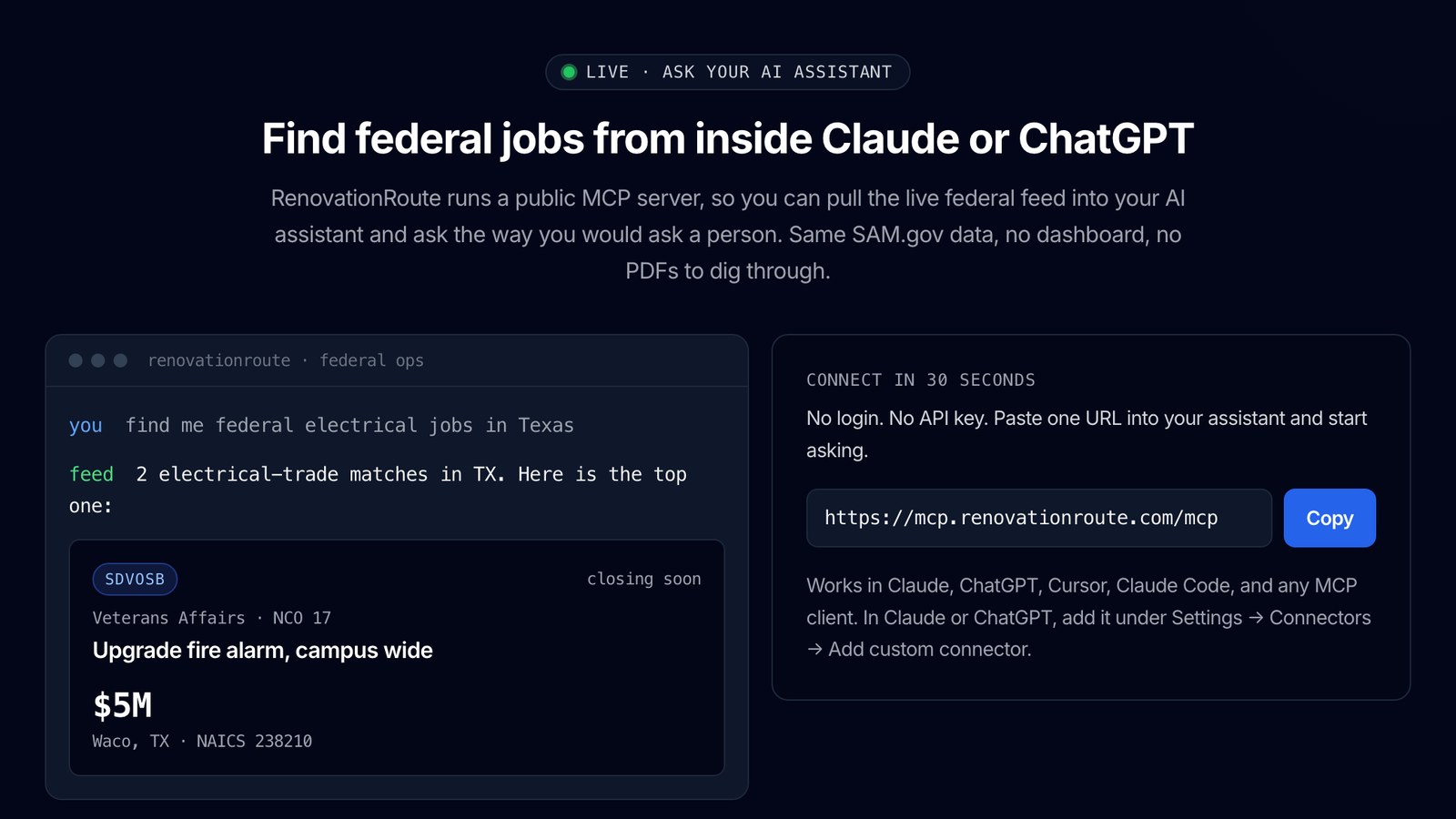
Hosted: yes, at https://mcp.renovationroute.com/mcp over Streamable HTTP. Any client that accepts a remote MCP server URL can use it.
Price: the MCP is free. The bid list is free to browse too. The full briefs, bid checklist, and text and email alerts are in the RenovationRoute app at $20 a month, plus a cost estimate by work item when there’s enough scope and award history to base it on.
Skip ours if you need awards, spending, or vendor analytics, full state and local coverage, or anything outside construction.
HigherGov MCP
The HigherGov MCP page lists SAM.gov, Grants.gov, SLED (state and local) opportunities, USAspending, FPDS, NSN data, and HigherGov’s own data. That’s the broadest source list on this page. HigherGov is now owned by Procurement Sciences, which announced the acquisition in May 2026.
Tools: the page doesn’t give a count. We called the server’s tools/list and got 10 back: search_opportunities, get_opportunity_documents, search_federal_contracts, search_federal_idvs, search_awardees, get_awardee_detail, search_nsn, search_federal_grants, search_federal_subcontracts, and search_federal_subgrants.
Auth: a HigherGov API key. The server’s own setup instructions say to send it as a Bearer token, or add it to the URL as ?api_key= in clients with no place for a header. Use the header whenever your client allows it. A key in a URL can end up in logs.
Hosted: yes, at https://www.highergov.com/mcp/. HigherGov says it works with Claude, OpenAI, Gemini, Microsoft Copilot, Cursor, and other MCP clients.
Price: HigherGov’s pricing page lists Starter at $500 a year for one user and Standard at $2,500 a year for up to 10, with API access in every plan. The MCP page mentions a free trial and says unlimited usage is available for high-volume teams.
It’s the pick for teams that want one server covering federal, state, local, and grants, plus award research.
Tango MCP by MakeGov
Tango covers contracts, opportunities, entities, and forecasts drawn from SAM.gov, FPDS, and USAspending.
Tools: MakeGov doesn’t publish a count. It describes capabilities such as contract expiration tracking, set-aside identification, incumbent profiling, and forecast queries.
Auth: sign in with a free Tango account. MakeGov says you don’t paste an API key into your assistant. The connection handles sign-in. We called the endpoint without signing in and got an OAuth sign-in challenge back, which matches.
Hosted: yes, at https://tango.dev/mcp. Listed clients: Claude, ChatGPT, Claude Code, Cursor, Windsurf, and any MCP client.
Price: published. The Tango pricing page says every plan, free included, covers the MCP connector with the same request limits as the API. The free plan is 100 requests a day. Small is $100 a month or $1,000 a year, Medium $250 a month, Large $500 a month.
Good for awards and incumbent research on a free or modest budget.
GovTribe MCP
GovTribe’s user guide says the MCP can research opportunities, awards, vendors, forecasts, contacts, government files, procurement news, saved searches, and pipeline items, depending on the tool and your account. GovTribe’s launch post adds reporting from parent company GovExec (Government Executive, Defense One, Washington Technology).
Tools: no single published count. GovTribe offers a standard server and a compact server for clients that need a smaller tool list.
Auth: a GovTribe account, connected by OAuth or a GovTribe MCP API key, per the user guide. Credits have to be enabled first.
Hosted: yes, at https://govtribe.com/mcp. GovTribe has setup guides for ChatGPT, Claude, Microsoft 365 Copilot, and Codex.
Price: credit-based. GovTribe says MCP is available on its Launch, Launch Plus, Growth, Growth Plus, and Scale plans, and that new trial users get 100 free credits. We didn’t find per-credit prices on the pages we checked.
Makes the most sense if you’re already a GovTribe customer and want your pipeline and GovTribe’s data inside your assistant.
GovCon API MCP
Federal procurement data behind GovCon API: opportunities, contracts and modifications, companies and entities, subawards, bid protests, vendor risk and exclusions, forecasts, GSA labor rates, and wage determinations. Its docs list SAM.gov and USAspending as sources. Federal only.
Tools: 53, in five groups: market research, opportunity discovery, capture and teaming, bid and pricing, and award and compliance, per the tool reference. Some tools need the Pro plan.
Auth: a GovCon API key. A free trial key works.
Hosted: the data is hosted. The MCP server itself is a small MIT-licensed Python package (govconapi-mcp) you install locally. It runs on your machine and sends each call to GovCon API with your key. The docs cover Claude Desktop, Claude Code, Cursor, VS Code with Continue, and Zed.
Price: published. The pricing page lists a 14-day free trial with no card (50 requests a day), Developer at $19 a month, and Pro at $39 a month. MCP is included in all of them.
Best fit: analysts and developers who want a lot of federal tools for a small monthly fee and don’t mind installing a Python package.
Bidscope MCP
Bidscope’s pricing page describes federal and SLED solicitations, contracts, vendors, and buyers from 50,000+ sources.
Tools, auth, hosting: we couldn’t verify these. Bidscope’s MCP page at bidscopeai.com/mcp is listed in its sitemap, but it returned “404: This page could not be found” when we checked on September 23, 2026.
Price: “API + MCP” appears in the Professional plan, listed at $340 a month on a 12-month term. The Starter plan, $45 a month per seat billed annually, doesn’t list MCP. Business is custom pricing.
Worth a look if you want federal plus state and local bids and you’re already eyeing Bidscope’s proposal features.
Capture MCP by blencorp
Open source, pulling from SAM.gov, USAspending, Tango, and HigherGov APIs.
Tools: 34, turned on by which keys you supply. With no keys, 7 work (one reference-code lookup plus six USAspending tools). A SAM.gov key adds 6 (entity search, opportunities, entity details, exclusions, and two tools that join entities and opportunities to spending). A Tango key adds 12. A HigherGov key adds 9.
Auth: your own keys. SAM.gov and USAspending access is free. A Tango key comes with any Tango plan, free included. A HigherGov key needs a paid HigherGov plan, which starts at $500 a year.
Hosted: self-hosted. You install it as a Claude Desktop extension or standard MCP config, or deploy it to your own AWS account, which the README estimates at about $1 to $11 a month. It lists Claude Desktop, ChatGPT Desktop (Plus, Pro, Business, Enterprise, or Education), and any MCP client.
Price: free, MIT licensed.
This one’s for a technical team that wants one self-hosted server tying free USAspending data to SAM.gov and whichever paid service it already has.
sam_gov_mcp
The SAM.gov Get Opportunities Public API (v2). Opportunities only.
Tools: one, search_opportunities.
Auth: your own SAM.gov public API key, which the README notes is free from your SAM.gov account details page.
Hosted: self-hosted. Python 3.10 or newer, runs over stdio, so it works with local clients such as Claude Desktop, Cline, and Cursor. MIT licensed.
Price: free.
It’s the smallest possible server. That’s the point if you’re a developer who wants something to read and modify.
Apify SAM.gov contracts scraper
SAM.gov opportunities returned as JSON, including solicitations, presolicitations, sources sought, and award notices, with 26 fields per record.
Tools: one Apify actor exposed through Apify’s MCP server at https://mcp.apify.com/?tools=themineworks/sam-gov-contracts.
Auth: an Apify token plus your own free SAM.gov API key, passed as an input.
Hosted: yes, on Apify.
Price: published as from $3.60 per 1,000 opportunities returned. The listing says empty runs and failed fetches aren’t charged.
Use it for bulk pulls into a spreadsheet or pipeline, where paying per record makes sense.
gov-contracts-mcp (FoundryNet)
Covers SAM.gov opportunities and USAspending awards, refreshed every 6 hours according to the README.
Tools: 7, per its GitHub README: search_contracts, contract_detail, agency_spending, trending_opportunities, daily_brief, brief_summary, and mint_info.
Auth: none for the free tier. You can pass an agent ID to track your allowance, or a Bearer token to skip the paywall.
Hosted: yes, on Railway, and self-hostable (Python and Supabase, MIT licensed). When we called the hosted endpoint on September 23, 2026, it returned a 502 error. Check it’s up before you rely on it.
Price: published. 25 paid-tool queries a day free per agent, then $0.01 a query, with daily_brief at $10 and brief_summary at $0.50. Payment is in USDC on Solana through the x402 protocol.
Mostly interesting to developers experimenting with pay-per-call agents.
Side by side
| Server | Data | Tools | Auth | Hosted? | Price |
|---|---|---|---|---|---|
| RenovationRoute | Open construction bids, mostly federal (SAM.gov), some state and local | 4 | None | Yes | Free (app $20/month) |
| HigherGov | Federal, SLED, grants, awards, subawards, NSN | 10 (our tools/list call) | HigherGov API key | Yes | $500/year and up |
| Tango (MakeGov) | Opportunities, contracts, entities, forecasts | Not stated | Free Tango account (sign-in) | Yes | Free tier; paid from $100/month |
| GovTribe | Opportunities, awards, vendors, forecasts, news | Not stated | GovTribe account, OAuth or key | Yes | Credits, on Launch plans and up |
| GovCon API | Federal opportunities, contracts, entities, pricing | 53 | GovCon API key | Data yes, server runs locally | Trial; $19 or $39/month |
| Bidscope | Federal and SLED (per pricing page) | Could not verify | Could not verify | Could not verify | In $340/month Professional plan |
| Capture MCP | USAspending, SAM.gov, plus Tango/HigherGov with keys | 34 (7 with no keys) | Your own keys | Self-host (local or your AWS) | Free, MIT |
| sam_gov_mcp | SAM.gov opportunities | 1 | Your own SAM.gov key | Self-host | Free, MIT |
| Apify scraper | SAM.gov notices, including award notices | 1 actor | Apify token + your SAM.gov key | Yes | From $3.60 per 1,000 records |
| gov-contracts-mcp | SAM.gov opportunities, USAspending awards | 7 | None for free tier | Yes (was down when checked) | 25 free/day, then $0.01+ per query in USDC |
How to choose
Need awards, spending, incumbents, or vendor research? Go with one of the data services: HigherGov, Tango, GovTribe, or GovCon API.
Already paying for one of them? Connect that one. Your saved searches and limits carry over. Paying for none? Tango’s free tier and GovCon API’s trial are the cheapest ways to try it.
Need state and local bids too? HigherGov lists SLED data on its MCP page, and Bidscope’s pricing page lists federal plus SLED. RenovationRoute’s returns some state and local construction bids next to the federal ones. Most of the others are federal only.
Want to self-host with your own SAM.gov key? Capture MCP is the most complete, and its USAspending tools work with no key at all. sam_gov_mcp is the simplest code to read, and it needs a client that can run a local process, such as Claude Desktop, Claude Code, or Cursor. Capture MCP runs that way too, or you can deploy its hosted version to your own AWS account.
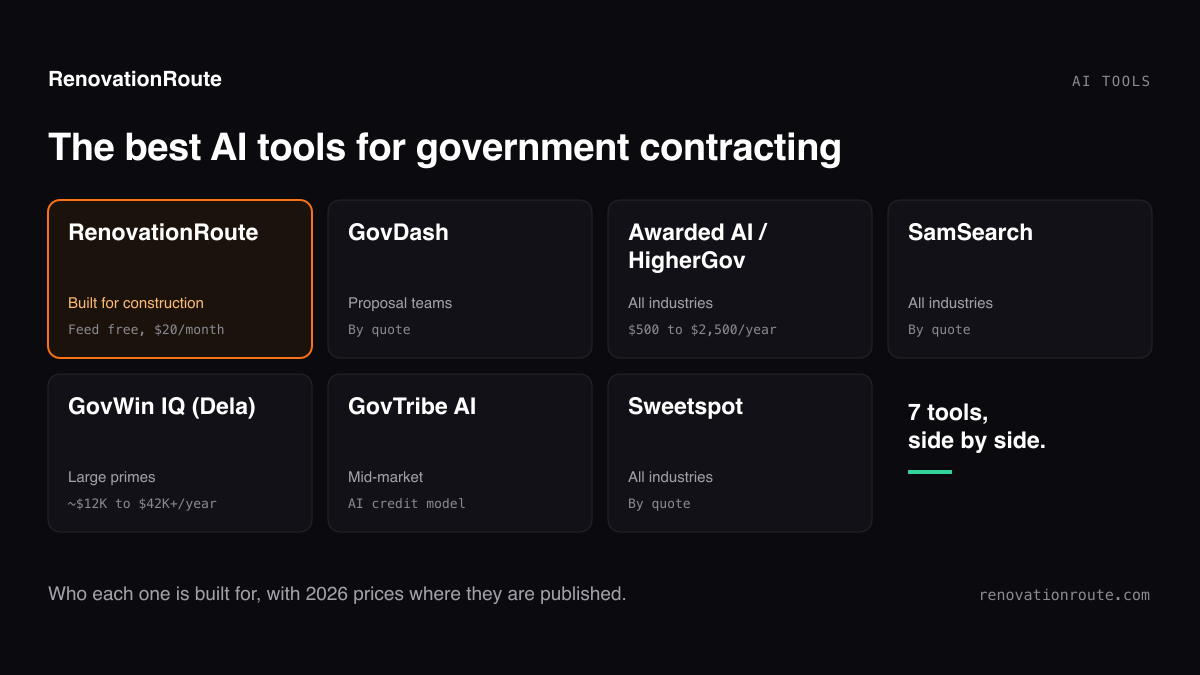
If you’re a construction contractor and you just want to know what to bid, connect RenovationRoute’s server. There’s no setup. It only returns construction and renovation work, so “find roofing jobs in Texas” doesn’t come back full of IT services. Most of it is federal, some is state and local, so check the source on each result. When a job looks right, the full brief and bid checklist are in the $20-a-month app, with a cost estimate on many jobs. We cover the wider set of AI tools for this in the best AI tools for government contracting.
Building a data pipeline is a different job. Use the REST API behind whichever server you pick, or the Apify actor for bulk SAM.gov records. MCP is best for asking questions, not for repeatable batch jobs.
How to connect one
In Claude (web, desktop, mobile), Anthropic’s custom connector guide says to open Customize, then Connectors, click the plus button, choose Add custom connector, and paste the server URL. It works on Free, Pro, Max, Team, and Enterprise plans. Free users get one custom connector, and on Team and Enterprise an owner adds it first.
One catch: Claude connects from Anthropic’s cloud, so the server has to be reachable on the public internet. That rules out servers that run on your own machine, like sam_gov_mcp, in the Claude web app. Use Claude Desktop’s config file for those.
In Claude Code, per the Claude Code MCP docs, a hosted server is one command:
claude mcp add --transport http renovationroute https://mcp.renovationroute.com/mcpServers that need a key take --header "Authorization: Bearer YOUR_KEY".
For ChatGPT, OpenAI’s developer docs say to turn on developer mode in Settings, then add a connection and enter the MCP server URL, including the /mcp path. OpenAI notes availability depends on your account and workspace policy. Its help article on developer mode covers the business and enterprise setup.
In Cursor and other editors, add the server to the editor’s MCP config file. For local servers like GovCon API or sam_gov_mcp, you give it the command to run and your key as an environment variable, as shown in each project’s README.
Find Federal Construction Bids From Inside Your AI Assistant
Paste https://mcp.renovationroute.com/mcp into Claude, ChatGPT, or Cursor. No login, no API key. Or browse the same construction jobs in the free bid list.
Checked September 23, 2026; RenovationRoute results rechecked September 29, 2026. Each server’s coverage, tools, auth, and price come from its own page, README, or registry listing, linked above. Tool counts for HigherGov and RenovationRoute come from calling each server’s tools/list that day. Where a vendor doesn’t publish something, we say so. We don’t guess. We’ll update this post as servers change.
About the Author
Jesse Edwards is the founder of RenovationRoute and MS Tech Alpine Ventures. He built RenovationRoute’s AI for the one job construction contractors don’t have time for: reading a federal solicitation and its attachments and telling them, in plain English, whether it’s worth bidding.
Frequently asked questions
- Is there a SAM.gov MCP server?
- Yes, several, all run by third parties. Some are hosted and you connect them with a URL (HigherGov, Tango, GovTribe, RenovationRoute). Others are open source and you run them yourself with your own free SAM.gov API key (Capture MCP by blencorp and sam_gov_mcp). Apify also sells a SAM.gov scraper you can call over MCP.
- What is the best MCP server for government contracts?
- Depends on the data you need. For awards, vendors, and spending analytics, go with a full data service like HigherGov, Tango, GovTribe, or GovCon API. To self-host for free with your own keys, Capture MCP is the most complete open-source option. To find open construction bids with no login or key, use RenovationRoute's MCP. It's mostly federal, plus some state and local bids, and construction is all it does.
- Do I need a SAM.gov API key to use a government contracts MCP server?
- Only for the self-hosted ones. Capture MCP needs your SAM.gov key for its SAM.gov tools. sam_gov_mcp needs one for its only tool. The Apify scraper asks for one as an input. Hosted servers use their own data, so you sign in to their account or use their API key instead. RenovationRoute's needs neither.
- Can ChatGPT search SAM.gov?
- Not with live data, not on its own. In developer mode you can add an MCP server to ChatGPT by entering the server URL, and then ChatGPT can call that server's tools to search current opportunities. Availability depends on your ChatGPT plan and workspace settings.
- How do I add a government contracts MCP server to Claude?
- In Claude, open Customize, then Connectors, click the plus button, choose Add custom connector, and paste the server URL. Custom connectors work on Free, Pro, Max, Team, and Enterprise plans. Free users are limited to one. In Claude Code, run claude mcp add --transport http followed by a name and the URL.
- Is there a free government contracts MCP server?
- Yes. RenovationRoute's MCP is free with no login, for construction opportunities, mostly federal plus some state and local. Tango's free plan includes MCP access at 100 requests a day. Capture MCP and sam_gov_mcp are free open-source software that run on free government API keys. GovCon API and GovTribe offer trials.