RenovationRoute
· Updated Sep 6, 2026 · Federal Contracting · 9 min read
eSRS.gov Login Is Gone: File Your ISR in SAM.gov (2026)
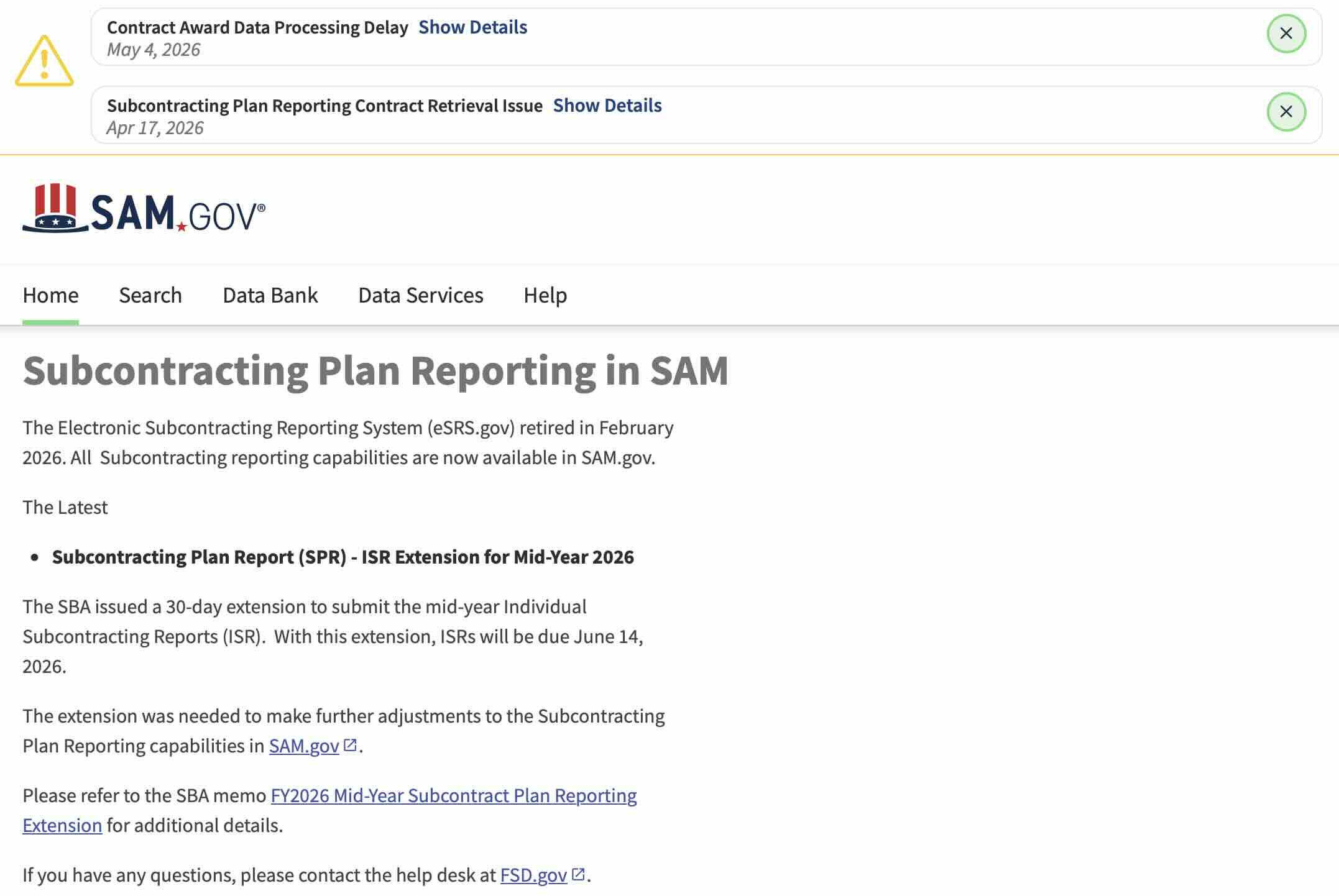
eSRS.gov retired in February 2026 and there is no eSRS login anymore. Subcontracting reporting now lives in SAM.gov. Here is where to sign in, the exact workflow to file your ISR and SSR, what changed in the migration, and the gotchas. The next deadline is October 30, 2026.
eSRS.gov is gone. Here is where you file now, and when it’s due
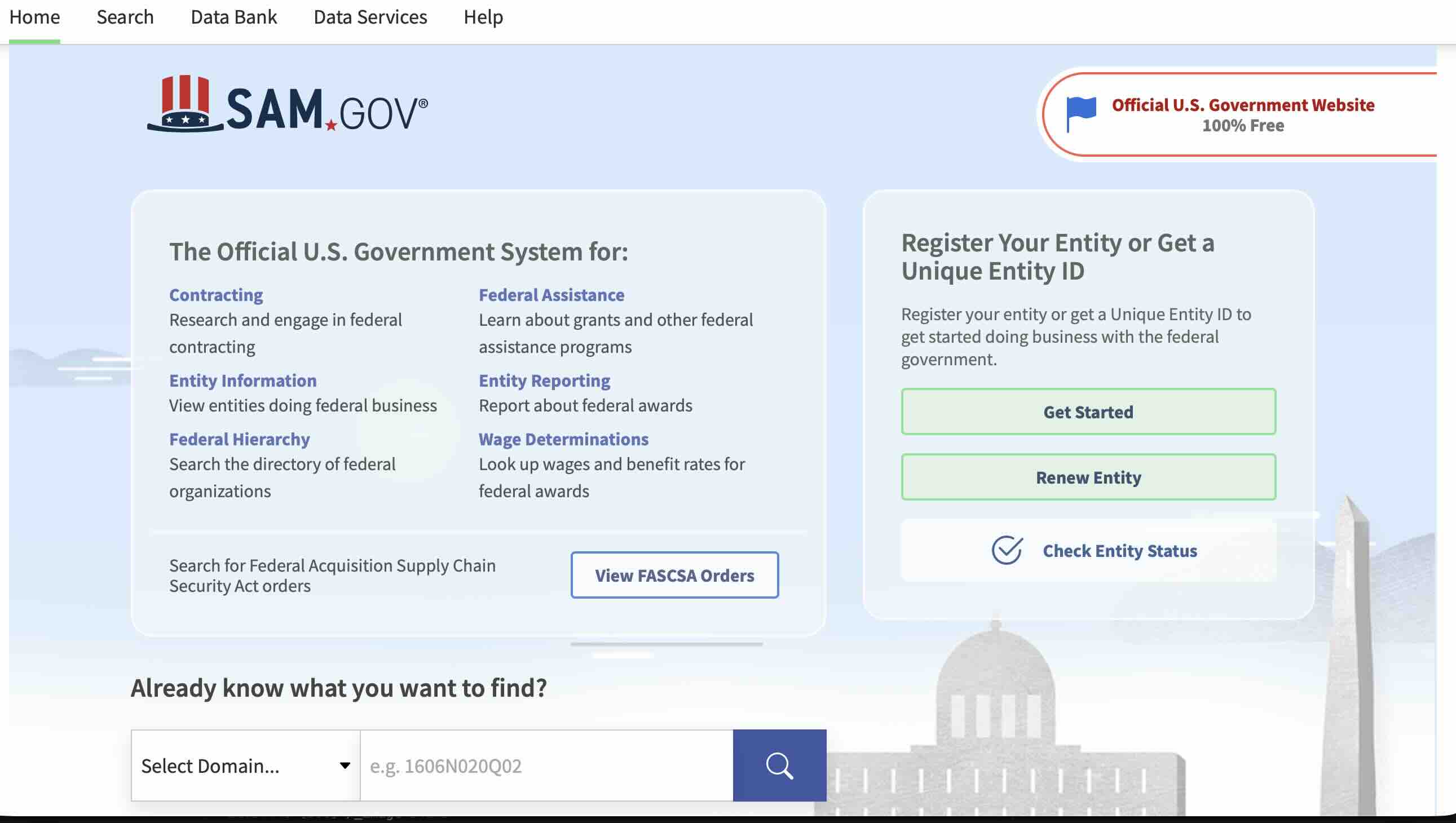
If you’re looking for the eSRS.gov login, it no longer exists. eSRS.gov, the Electronic Subcontracting Reporting System that primes used for nearly two decades, retired on February 20, 2026. All subcontracting reporting now lives in SAM.gov, alongside entity registration and opportunity search. You sign in at sam.gov through Login.gov and file from your SAM.gov Workspace. The step-by-step is below.
The next deadline is the year-end cycle. Individual Subcontracting Reports (ISRs) and Summary Subcontracting Reports (SSRs) for the period ending September 30, 2026 are due October 30, 2026, thirty days after the period closes. The 2026 mid-year ISR got a one-time 30-day extension to June 14 while the migration settled. Don’t plan on that happening again.
If your last ISR cycle was on the old eSRS, don’t assume your data, accounts, or workflows came over cleanly. They mostly did, but the gaps are where reports get rejected.
Who actually has to file an ISR
Before you spend a Saturday on this, confirm you’re on the hook. Under FAR 19.704 and 52.219-9, you need a subcontracting plan (and therefore ISR / SSR reporting) when:
- You’re a large prime (not a small business yourself)
- The federal contract exceeds $750,000 (or $1.5 million for construction)
- The contract offers subcontracting opportunities
Small business primes are exempt from the plan requirement and from ISR filing. Set-aside contracts where the prime is a small business are exempt. Sole-source 8(a) and SDVOSB awards generally don’t require a plan unless the contracting officer specifically wrote one in.
If you’re unsure whether your contract triggered a plan, look at the contract clauses. If FAR 52.219-9 is in there, you have a plan and you owe an ISR.
What changed in the migration to SAM.gov
A few practical differences from the eSRS workflow:
NAICS code reporting on ISR/SSR was dropped. The collection of NAICS codes and Product or Service Subcontract (PSC) information on Individual Subcontracting Reports and Summary Subcontracting Reports is no longer required. You used to enter subcontract awards by NAICS line. Now you don’t. This is one of the few things the migration made simpler.
The “Validate Remarks” feature on data entry forms is new. SAM.gov runs an automated check on the Goals, Actuals, and Remarks fields before submission. It flags inconsistencies. Read the validation feedback before you submit, not after. A flagged report isn’t auto-rejected, but the contracting officer reviewing it will see the same flags.
Roles are managed in SAM.gov Workspace, not in a separate eSRS account. You no longer have an eSRS login. You sign in to SAM.gov, your Entity Administrator assigns you the “Manage Subcontracting Plan Reports” role under Entity Reporting, and you file from there.
All your historical eSRS data was migrated. Past ISRs and SSRs you filed in eSRS should be visible in SAM.gov. If yours are missing or look wrong, that’s the most common migration issue and the federal service desk is fielding tickets on it.
How to file your ISR in SAM.gov, step by step
Sign in to SAM.gov at sam.gov. Use the same email address you used in eSRS. If you don’t have a Login.gov account tied to that email yet, you’ll create one during sign-in. Login.gov is the underlying auth layer.
Confirm your entity is in your workspace. From the SAM.gov home, click your name then “Workspace.” Under “Entity Information,” your registered company should be listed. If you managed multiple entities in eSRS, you can now consolidate them under one SAM.gov account.
Verify the “Manage Subcontracting Plan Reports” role. In your workspace, click “My Roles.” Look for the Entity Reporting domain. You need the “Manage Subcontracting Plan Reports” role on the entity you’re filing for. If you don’t have it, contact your Entity Administrator (the person who registered the entity in SAM.gov) to assign it to you. This is one of the most common blockers people hit.
Find the contract you’re reporting on. Each ISR is tied to a specific contract action. SAM.gov pulls these from the Contract Action Reports (CARs) on file. If your contract is missing, the issue is upstream in CAR / FPDS data, not in your filing.
Fill the data entry form. Enter your reporting period, dollars committed, dollars actually awarded to subcontractors, goal performance for each socioeconomic category (small business, SDB, WOSB, HUBZone, SDVOSB), and remarks explaining any variance. The form looks structurally similar to the old eSRS form, minus the NAICS / PSC lines.
Run “Validate Remarks” before you submit. Read the feedback. Fix what’s fixable. Submit.
Save the confirmation. SAM.gov gives you a confirmation page and a downloadable receipt. Save both. Your contracting officer can verify your filing on their end, but you want your own paper trail.
Common gotchas this cycle
Things to watch for on the first cycles after the migration:
Missing roles. If you log in and can’t find your subcontracting plan reports, 90% of the time the issue is the role assignment, not missing data. Check “My Roles” first.
Entity Administrator confusion. Your Entity Administrator in SAM.gov might not be the same person who managed your eSRS account. If your old eSRS lead left the company, you may need a new Entity Administrator before anything else gets done. The federal service desk handles administrator transitions but the turnaround is several business days. Don’t wait on this.
Historical data discrepancies. If your prior ISR shows different numbers than what you remember filing, don’t refile yet. Open a service desk ticket and document what you see. The migration mostly worked, but there are edge cases.
Don’t target the deadline itself. October 30, 2026 is a Friday. Plan to file the week before. If you find a role issue or an entity issue, you need business days to resolve it, and the service desk doesn’t move faster because your deadline is tomorrow.
What if you miss the deadline
A missed ISR doesn’t get your contract canceled. It does get noted in your CPARS performance assessment and can affect future award decisions. Repeat misses, or a pattern of late filings, can trigger a corrective action plan from the SBA Office of Small and Disadvantaged Business Utilization at the awarding agency.
The practical impact for a small or mid-size prime: future bids on contracts with subcontracting goals get scored against your past performance. A late ISR is a finding that the contracting officer reads. One miss is forgivable. Two is a pattern.
If you’re going to miss the deadline because of a SAM.gov access issue, document it. Open a ticket, save the ticket number, and email your contracting officer letting them know what you’re doing about it. A contractor who proactively flags a system-side problem and shows a remediation paper trail almost always survives the cycle. A contractor who goes silent doesn’t.
Federal contracting FAQs
Do small business primes have to file an ISR?
No. ISR / SSR filing is required only when you’re a large prime with a subcontracting plan under FAR 19.7. If you’re a small business prime, you don’t file a plan and you don’t file ISRs, even if you’re subcontracting work out.
Does SAM.gov still require NAICS reporting on ISRs?
No. As of the February 2026 migration, NAICS code and PSC information collection on ISR and SSR reports was dropped. You report dollars and socioeconomic category goals, not subcontract NAICS lines.
My company’s eSRS account didn’t migrate. What now?
Open a service desk ticket at the SAM.gov help center and request a manual migration check. Provide your eSRS account email, your entity’s UEI, and the CAGE code. Most “missing” accounts are role assignment issues at the new Entity Administrator level rather than truly missing data, so check “My Roles” in your workspace first.
What’s the “Validate Remarks” feature on the new SAM.gov forms?
SAM.gov runs an automated consistency check on your Goals, Actuals, and Remarks fields before you submit. It flags numbers that don’t reconcile or explanations that don’t match the variance shown. A flagged report can still be submitted; the contracting officer reviewing it will see the same flags. Read the validation feedback and fix what you can before submitting.
Where can I find the SSR (Summary Subcontracting Report) deadline?
SSRs are due October 30, 2026, for the federal fiscal year ending September 30. The SSR deadline wasn’t extended; only the mid-year ISR moved.
Can I file ISRs from a mobile browser?
The SAM.gov data entry forms work on mobile, but the experience is rough. Filing on a desktop is strongly preferable because you’ll likely have your subcontracting records open in a separate window and the role permission errors are easier to diagnose with a real screen.
What roles do I need to file an ISR in SAM.gov?
You need the “Manage Subcontracting Plan Reports” role under the Entity Reporting domain in SAM.gov. Your Entity Administrator assigns it. If you don’t have an Entity Administrator at your company, that has to be resolved first.
If you’re a prime contractor managing federal construction subcontractors, RenovationRoute’s teaming network lets you search registered subs by NAICS scope, state, bonding capacity, and set-aside certifications, with vector-similarity matching against federal subcontract awards. Browse free, see what’s available in your trade area, and decide whether you want alerts on new opportunities at $20 a month. If you also bid work yourself, the federal construction feed covers every active NAICS 23 solicitation with the compliance flags called out up front.
Updated September 2026. Reflects the February 2026 eSRS retirement, the one-time extension of the 2026 mid-year ISR to June 14, and the October 30, 2026 year-end deadline. This post will be updated if SBA issues further guidance on the SAM.gov migration.
About the Author
Jesse Edwards is the founder of RenovationRoute. He built RenovationRoute for federal construction contractors of every size, from specialty trade shops bidding their first set-aside to general builders managing multi-million-dollar subcontracting plans. RenovationRoute monitors SAM.gov for federal construction opportunities across NAICS 23 and provides a teaming network so primes and subs can find each other before a contract goes out to bid, not after.